🎉 Introducing the Node Parameter Display add-on for Blender! ⚙️ Boost your 3D modeling workflow with direct parameter manipulation in the 3D view. Plus, enjoy the convenience of 'Add to Parameter' and 'Remove from Parameter' options in your editor's context menu. Say goodbye to cumbersome navigation and hello to seamless node adjustments! Download now and redefine your Blender experience. #BlenderAddon #3DModeling #NodeParameterDisplay
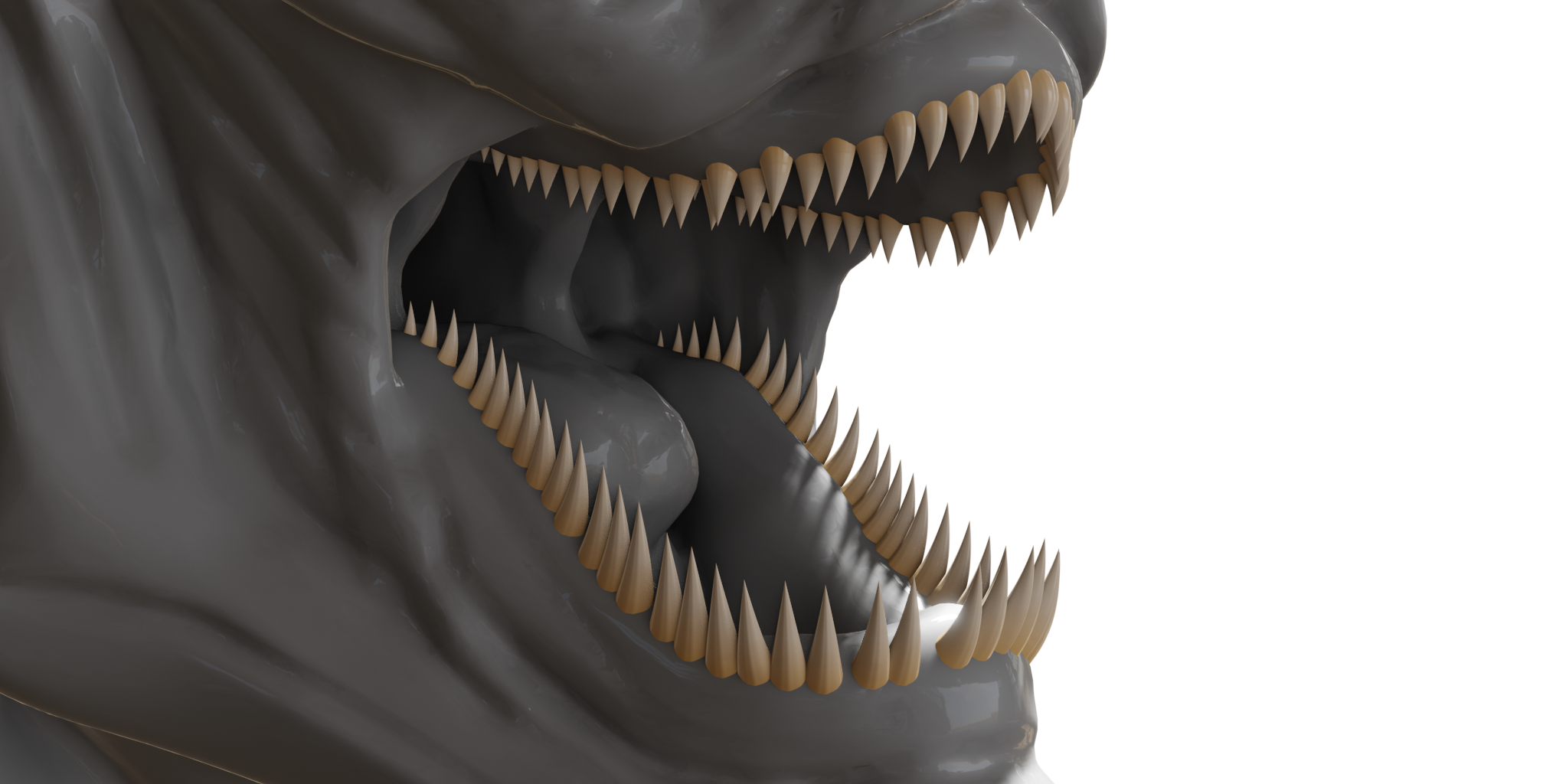
This tool made with Geometry Nodes allows you to quickly add teeths to the mouth of any creature's mouth.
It's highly customizable and speeds up a lot the boring work of placing this teeths manually.
You just need to create a curve object along all the gum of the creature were the teeths will gonna grow.
"Append" the 'Procedural Teeths.blend", go to the NodeTree and select the TeethGen.
After that, add a Geometry Node modifier to the object and select the TeethGen,
select the surface object,
use the controls to point the teeth on the right direction, adjust the scale to your creature
and repeat the process to the other side.