assethunt.app

Product comparison

Click Joints Pro vs Zone Select - Select Meshes Across Multiple Objects

Click Joints Pro

Click Joints Pro on Superhive
Creator
Thijs Duinhouwer
Price
From $12.00
List price
Not listed
Sale status
Not listed
Published

Listing description

Rig to printable figure: elbows and knees stop where your rig stops. One button turns a rigged figure into printable parts with hinges and ball joints, and shows each range in degrees before you print.

Published variants

  • Personal · Price: $12.00 · List price: $12.00
  • Studio (up to 5 people) · Price: $45.00 · List price: $45.00
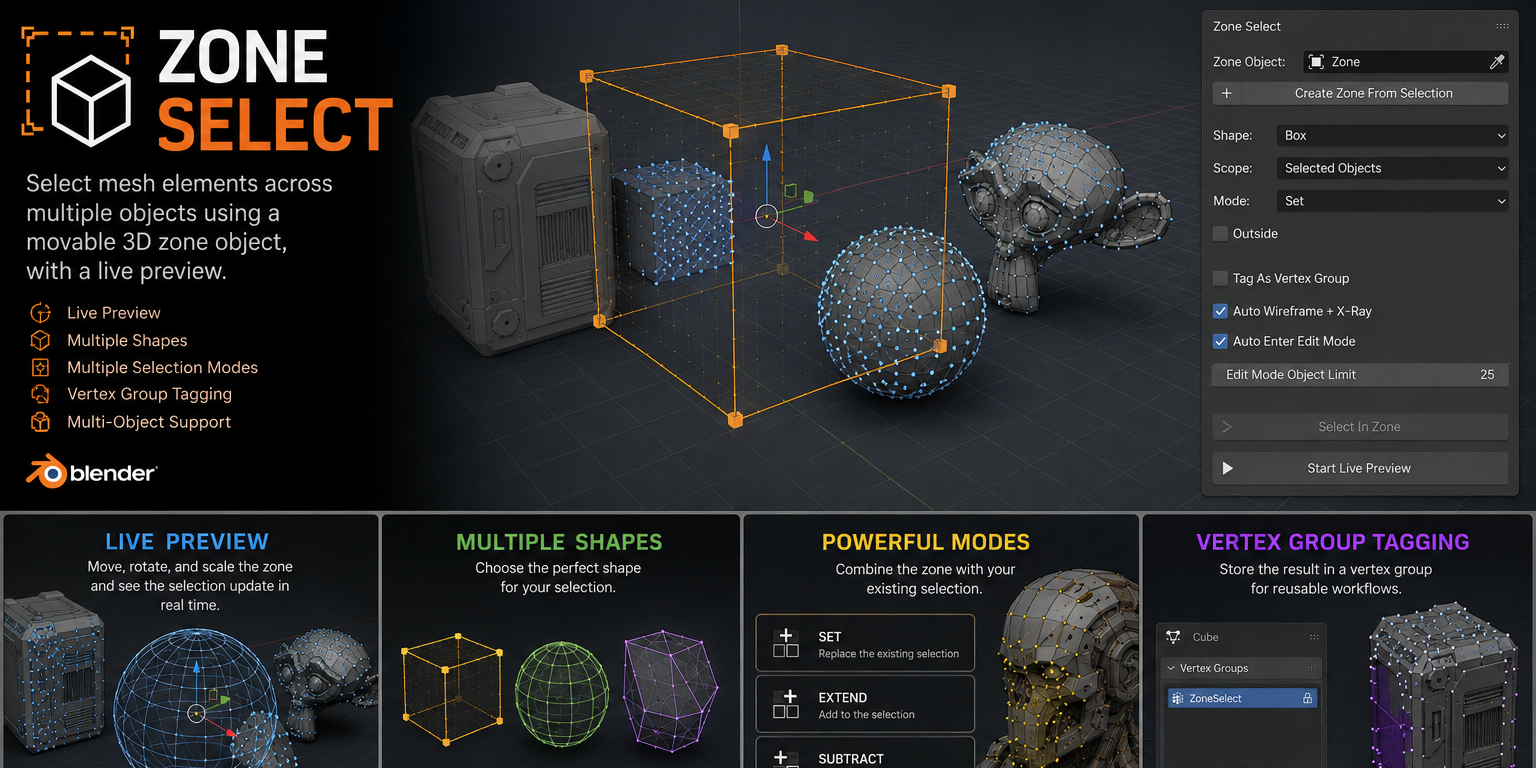
Zone Select - Select Meshes Across Multiple Objects

Zone Select - Select Meshes Across Multiple Objects on Superhive
Creator
Shahzaib A.
Price
$10.00
List price
$10.00
Sale status
Not on sale
Published

Listing description

Select mesh vertices across multiple Blender objects using a movable 3D selection zone—with live visual feedback. Zone Select lets you define a selection volume using Box, Sphere/Ellipsoid, or Convex Mesh shapes, then Set, Extend, Subtract, Intersect, or invert the selection. Use Live Preview to see exactly what will be selected while you move, rotate, or scale the zone. Perfect for fast spatial selection, scene cleanup, procedural workflows, and reusable vertex-group masks.

Published variants

No published variants listed.